
Spreadsheets with 3,000 unsorted contacts are not a sales system. How to organize sales leads automatically means tier-rated sorting, ICP scoring, owner assignment, and routing rules—so every rep knows which leads to work today without manual triage.
This guide covers automated lead organization workflows, tier systems, and routing logic for B2B outbound teams.
Related: how to automatically build sales lists, lead qualification process, AI lead scoring explained, and how to find qualified B2B leads.
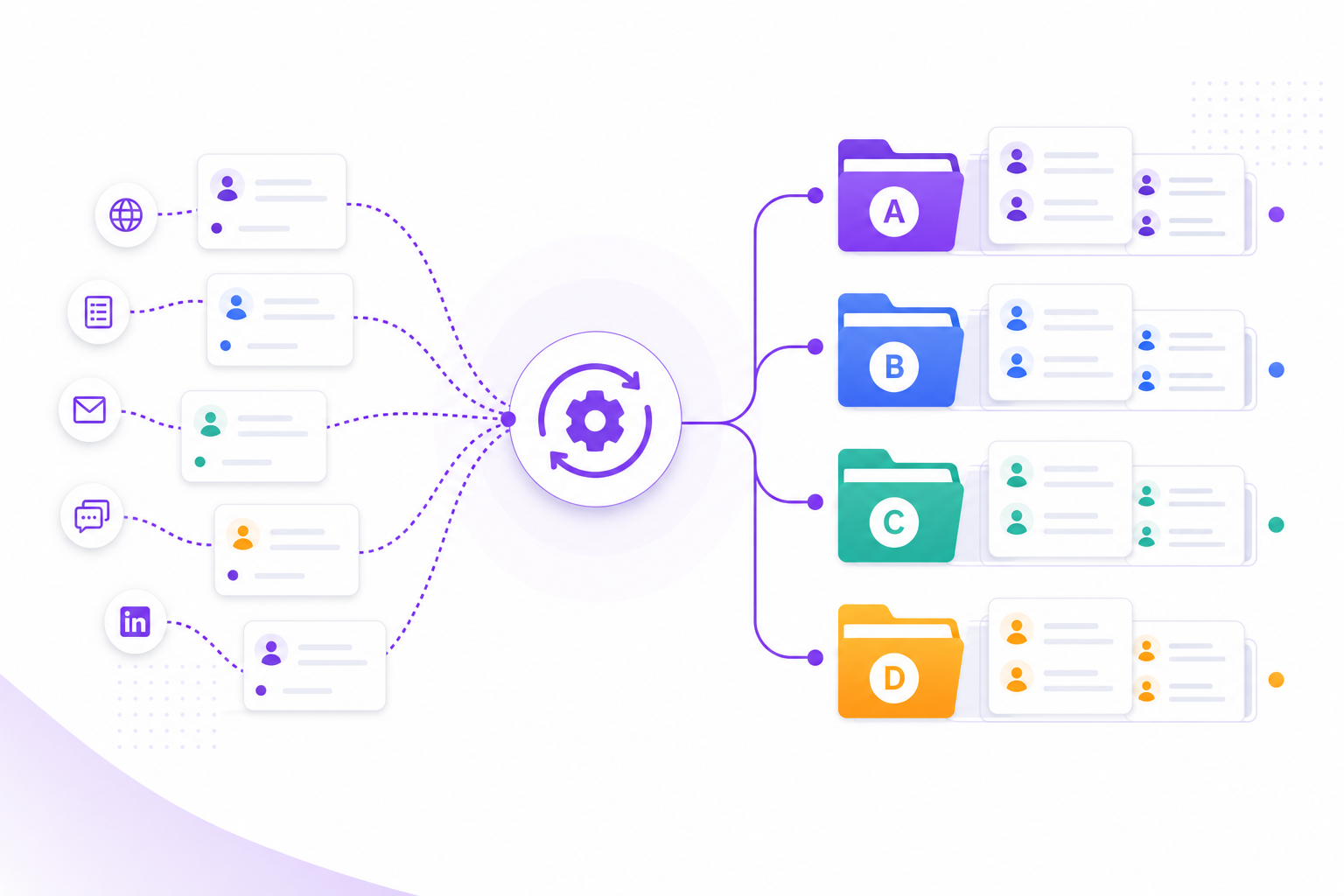
Why Manual Lead Organization Fails
- Reps cherry-pick familiar accounts; high-fit leads sit untouched
- No consistent scoring—prioritization varies by rep judgment
- Bulk imports create chaos without tier or owner assignment
- Marketing and SDR leads mix without routing rules
- Stale leads stay in "active" queues indefinitely
Automated Lead Organization Framework
Step 1: Score Every Lead
Apply ICP fit score, Receptivity score, and Total score (0–100) at ingestion. No lead enters a queue unscored.
Step 2: Assign Tiers
- Tier A (80–100): Immediate outreach—highest fit and receptivity
- Tier B (60–79): Active queue—outreach within the week
- Tier C (40–59): Nurture—email drips, not cold calls
- Tier D (below 40): Disqualify—exclude from active pipeline
Step 3: Route by Rules
Assign owners by territory, industry, or round-robin. Tier A routes to senior SDRs; Tier B to standard queue.
Step 4: Sync to CRM with Structure
Import with tier, score, owner, and next-step date fields populated—not bare contact records.
Step 5: Auto-Archive Stale Leads
Leads with no activity in 30+ days move to nurture or closed-lost automatically.
Organization Rules by Lead Source
| Source | Auto-Organization Rule |
|---|---|
| AI workflow discovery | Score + tier at export; sync A/B to CRM |
| Inbound form fill | ICP score → route A to SDR, C to marketing nurture |
| Event / webinar list | Verify + score before any outreach queue |
| Partner referral | Fast-track Tier A; assign named AE owner |
How Adsaga.ai Organizes Leads Automatically
- Create configuration (
/workflow/config/create) — ICP defines who qualifies - Run workflow (
/workflow/workflows) — AI scores and tiers every discovered lead - View tiered leads — Tier A/B/C/D with ICP score, Receptivity score, Total score, expandable reasons
- Export by tier — organized lists ready for CRM routing
Frequently Asked Questions
How do you organize sales leads automatically?
Score every lead at ingestion, assign tier ratings (A/B/C/D), apply routing rules by territory and tier, sync structured fields to CRM, and auto-archive stale records.
What is the best lead tier system?
Four tiers based on Total score: A (80–100) immediate outreach, B (60–79) active queue, C (40–59) nurture, D (below 40) disqualify.
Should all leads go to SDRs?
No—only Tier A and B. Tier C goes to marketing nurture. Tier D excludes from active queues to prevent pipeline pollution.
How does AI help organize leads?
AI scores ICP fit and receptivity automatically, assigns tiers, and exports organized lists—replacing manual spreadsheet sorting.
Does Adsaga.ai auto-organize leads?
Yes—every workflow output includes tier ratings and scores. Export by tier for instant queue organization in CRM or sequencer.
Final Thoughts
Organizing sales leads automatically is the difference between a team that works the right accounts and one that works random contacts. Score, tier, route, sync—and let reps sell.
Try Adsaga.ai — tier-organized leads from every workflow run.